Creating a New Portfolio:
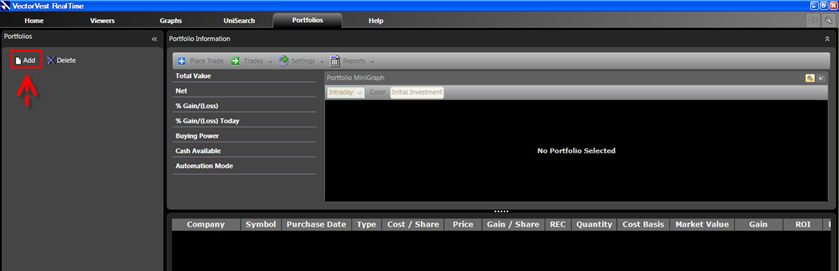
Click Portfolios on the Main Menu Bar
Click the "New" Icon.
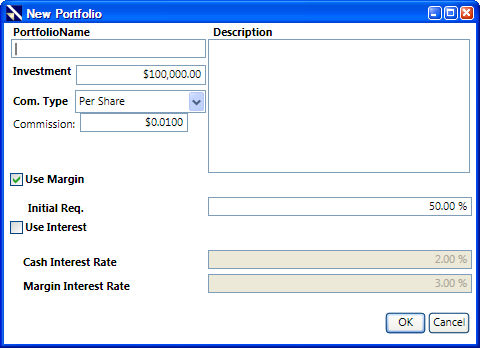
Type a name for the Portfolio.
Change the default investment amount if desired. (Use the delete key on your keyboard or highlight the investment amount to type over it.)
Click the drop down arrow next to Com. Type, and select the commission type you would like to use: None, Percent, Per Share, or Per Trade.
Enter the amount of the commission in the Commission box.
Click the selection boxes next to Interest and Margin to enable or disable these items. (A check mark is enabled, and an empty selection box is disabled.)
Use the Description Box to type any comments about your portfolio, if desired.
Click "OK". Your new portfolio will be listed on the left.