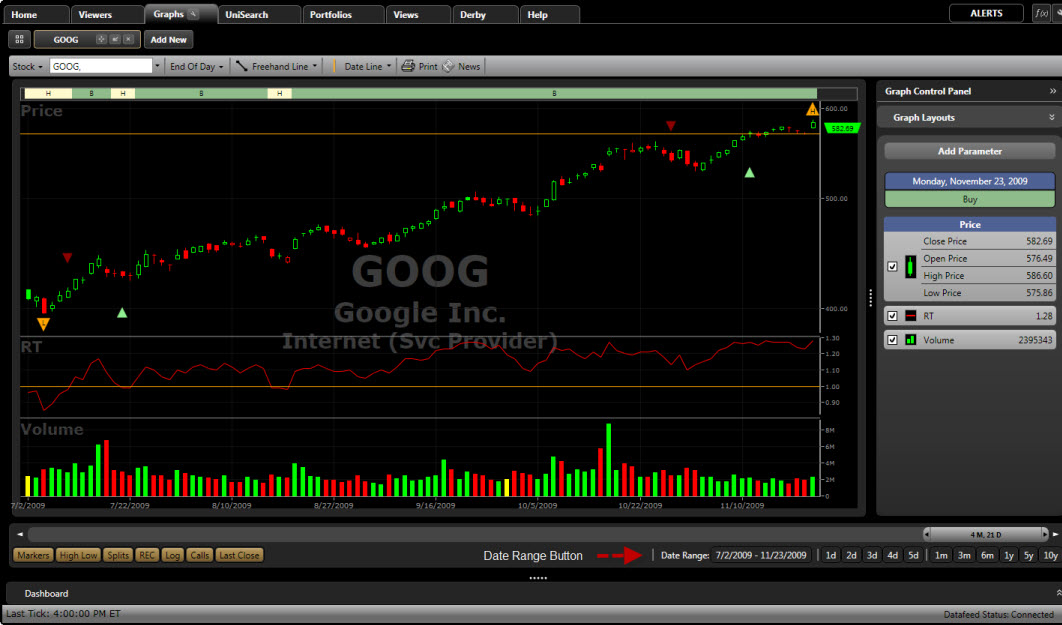
The Date Range Button allows you to set the begin date and end date for the information displayed.
Using the Date Range Button:
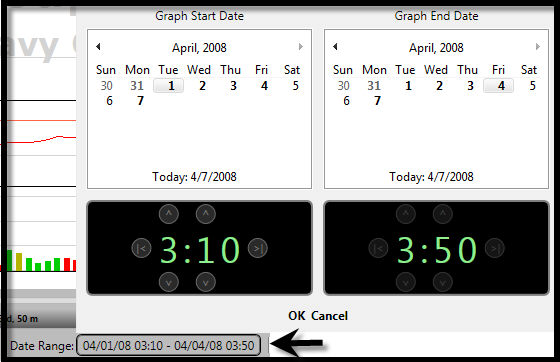
Click the Date Range Button located along the bottom of the Graph Window.
Use the Date/Time Control on the left to select the begin date.
Use the Date/Time Control on the right to select the end date.
Click "OK".
Click here for more information on using the Date/Time Control.