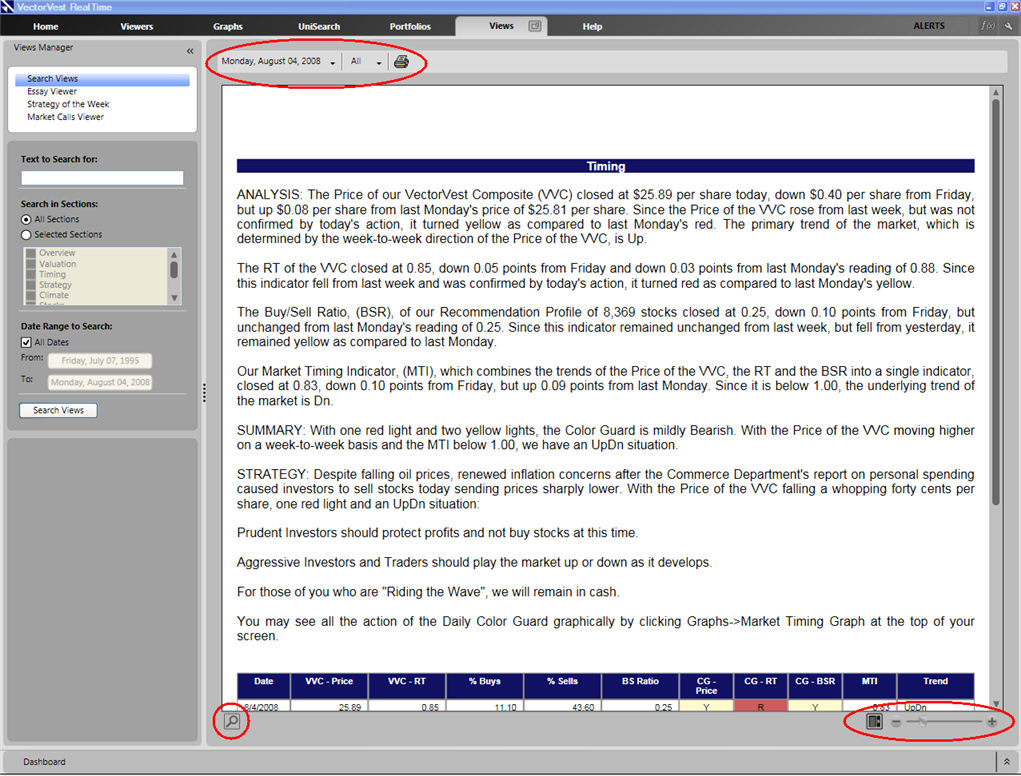
The VectorVest Views Screen has several features that facilitate navigation. The Views Toolbar, located at the top left corner of the screen, allows you to select a date, select a specific section, or print the Views. A search bar, at the bottom left corner of the screen, allows you to search for a word or phrase in the displayed document, and the toolbar located in the opposite bottom corner, allows you to scroll and choose the display size of the text.
Using the Views Toolbar:

To move to an earlier date, click on the date displayed on the toolbar. Use the calendar to make your selection.
To move to a specific section of the Views, click the button that currently says 'All'. Click on the desired section using the drop down list that appears.
To print the Views, click the Print Views button. Click 'Print' on the Print Window that appears.
Changing the Text Size in the Views:
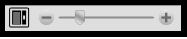
To increase text size, click the '+' icon, or drag the slider bar to the right.
To decrease text size, click the '-' icon, or drag the slider bar to the left.