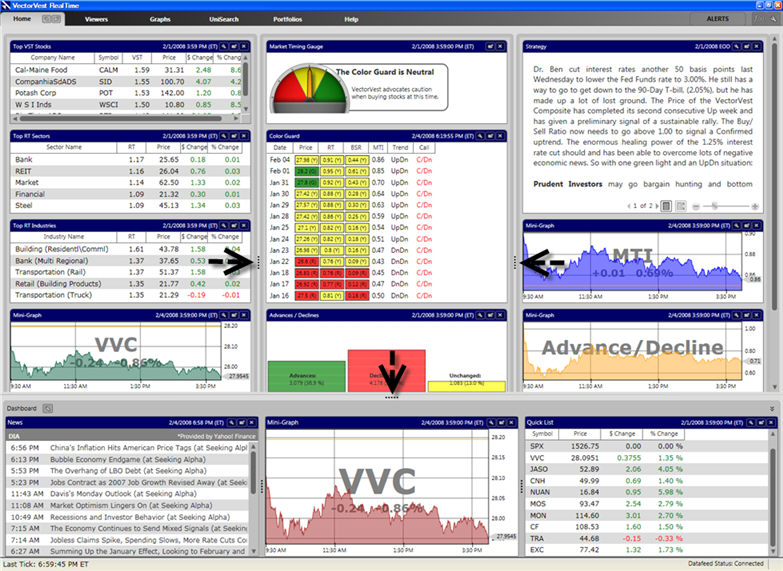
The VectorVest RealTime screen is divided into frames, making it easy to change the viewing area of each frame. The Resizing Handle, a series of five dots, can be found along the edge of each frame. To change the viewing area of a frame, move your cursor over the Resizing Handle (your cursor will change to a double-headed arrow), hold down the left mouse button and move the mouse in the same direction you would like the window frame to move.