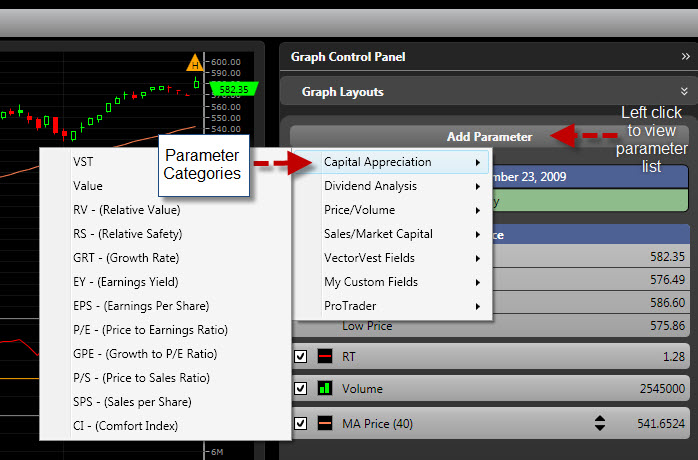
VectorVest RealTime gives you the ability to add any VectorVest parameter or Custom Field to a graph.
Graphing Additional Parameters:
Click the Add Parameter Button at the top of the Parameter List
Parameters are grouped by category. To view the parameters in each category, place your cursor over that category.
Left-click on the parameter you would like to add. The parameter will be added to the bottom of the Parameter List.
Left-click the selection box next to the parameter to display it on the graph.
Removing Parameters from the Parameter List:
Right-click on the parameter to be removed.
Select Remove Item.