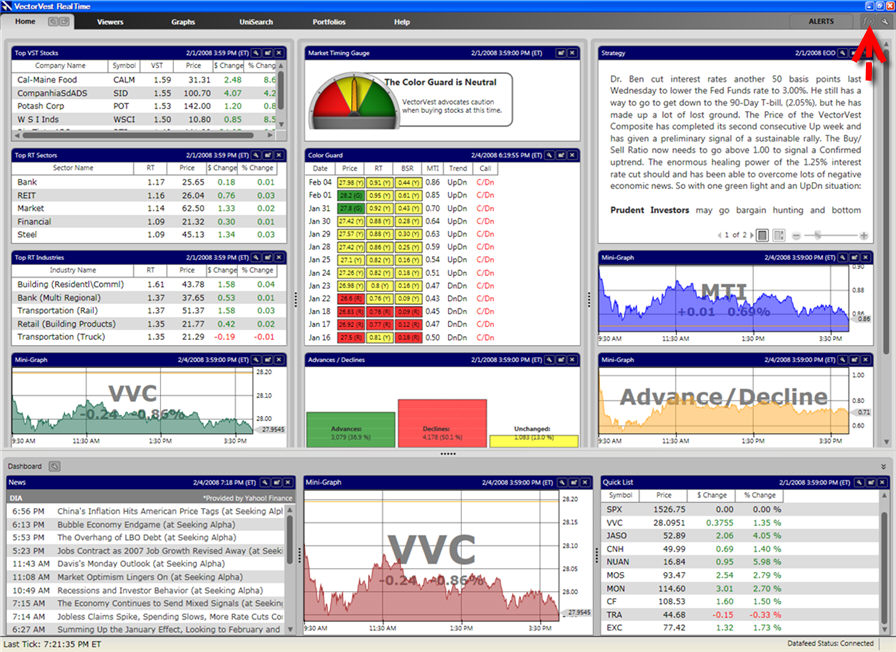
Custom Fields can be used to filter and sort Viewers, Watchlists, and Searches. The Custom Field Builder Icon is located in the right corner of the program, next to the Alerts Button. This icon is viewable from every section of the program, and will allow you to create unique formulas and combinations using the VectorVest fields.
Creating A Custom Field:
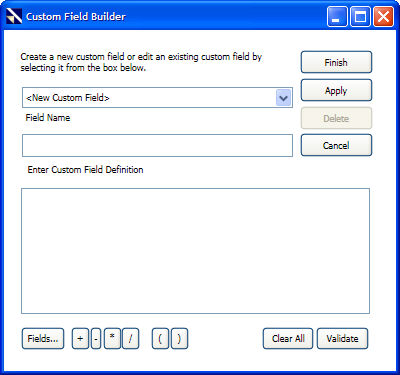
Click in the empty box beneath the words "Enter Custom Field Definition".
Use the "Fields..." button at the bottom of the window to select your first indicator (i.e. VST, RS, RT, EPS, DIV, Volume, etc.) The indicators will be grouped into the following categories:
Capital Appreciation: VST, Value, RV - (Relative Value), RS - (Relative Safety), RT - (Relative Timing), GRT - (Earnings Growth Rate), EY - (Earnings Yield), EPS (Earnings Per Share), P/E - (Price to Earnings Ratio), GPE - (Growth to P/E Ratio), P/S - (Price to Sales Ratio), SPS - (Sales Per Share Ratio) and CI- (Comfort Index).
Dividend Analysis: DIV - (Dividend Paid), DY - (Dividend Yield), DS - (Dividend Safety), DG - (Dividend Growth) and YSG - (Yield Safety Growth Vector).
Price/Volume: Price - Split Adjusted, Stop Price, Open - (Day's Open), High - (Day's High), Low - (Day's Low), Volume - (Shares Traded) (Day), AvgVol - (50 day moving Average Volume), Range (Day), %PRC (Percent Price Change), %Vol (Percent Volume Change), Change (Dollar Price Change), Price - Actual, Range (Minute), Volume - (Minute's Volume), Open - (Minute's Open), High - (Minute's High) and Low - (Minute's Low).
Sales/Market Capital: Shares - (Outstanding (Millions)), Sales - (Yearly Sales-($Millions), MktCap - (Market Capitalization -($Millions) and Sales GRT - (Sales Growth).
VectorVest Fields: Contains many formulas and field combinations that have already been created by VectorVest.
My Custom Fields: Contains the formulas and field combinations that have already been created by the user.
3. Select , or type, the mathematical operator you would like to use in the custom field. The mathematical operators available are listed to the right of the "Fields..." button and include multiplication (*), division (/), addition (+), and subtraction (-). Parentheses may be used to define the order of operations.
4. Repeat steps 2 and 3 until the custom field is complete.
5. Click "Finish" when the custom field is complete, or click "Apply" to begin creating the next custom field.
The "Validate" button may be clicked to verify whether or not the mathematical expression is valid.