
VectorVest
VectorVest gives you clear guidance on a stock’s true Value, Safety, & Timing. No hidden agendas. No conflicts of interest.
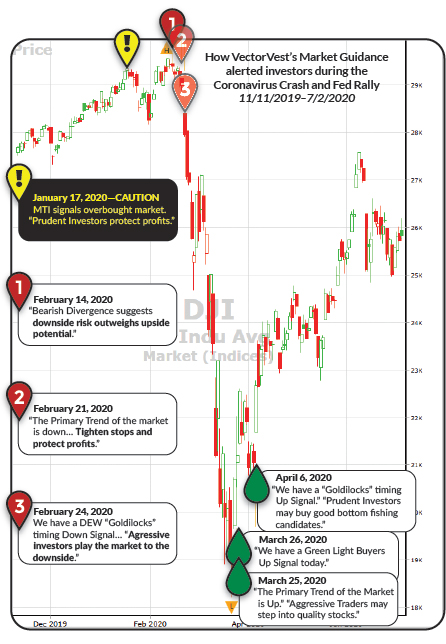




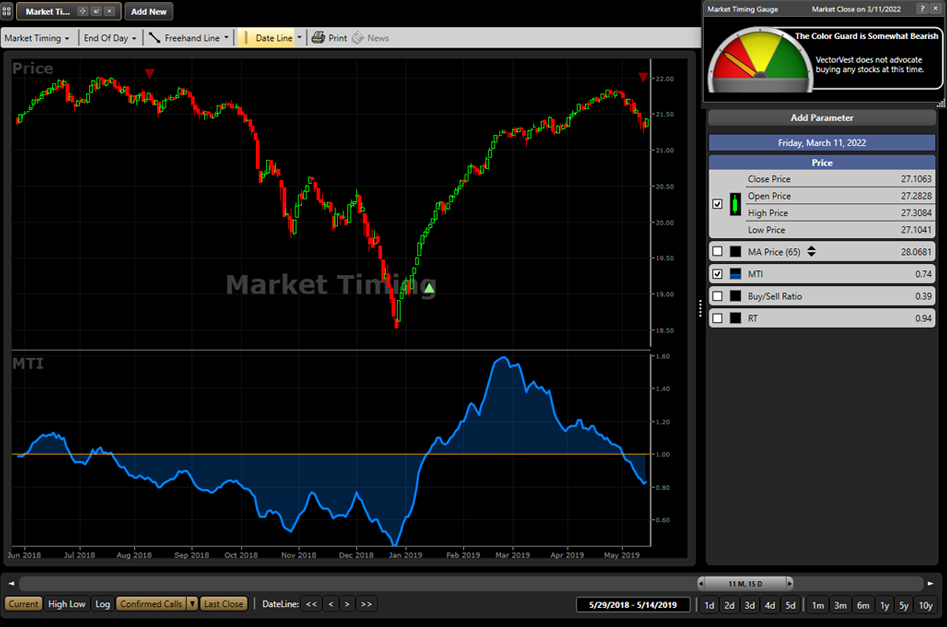
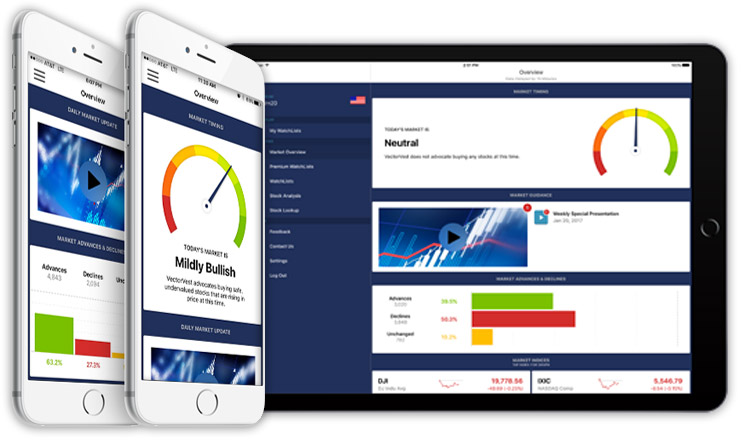
Get clear, unambiguous market guidance with VectorVest. Through confirmed market calls, VectorVest offers strategic trading entry and exit points, so you can preserve capital before markets tumble, and take full advantage as they start to rebound. At a glance, market timing indicators tell investors whether market conditions are right or whether it’s safer on the sideline.
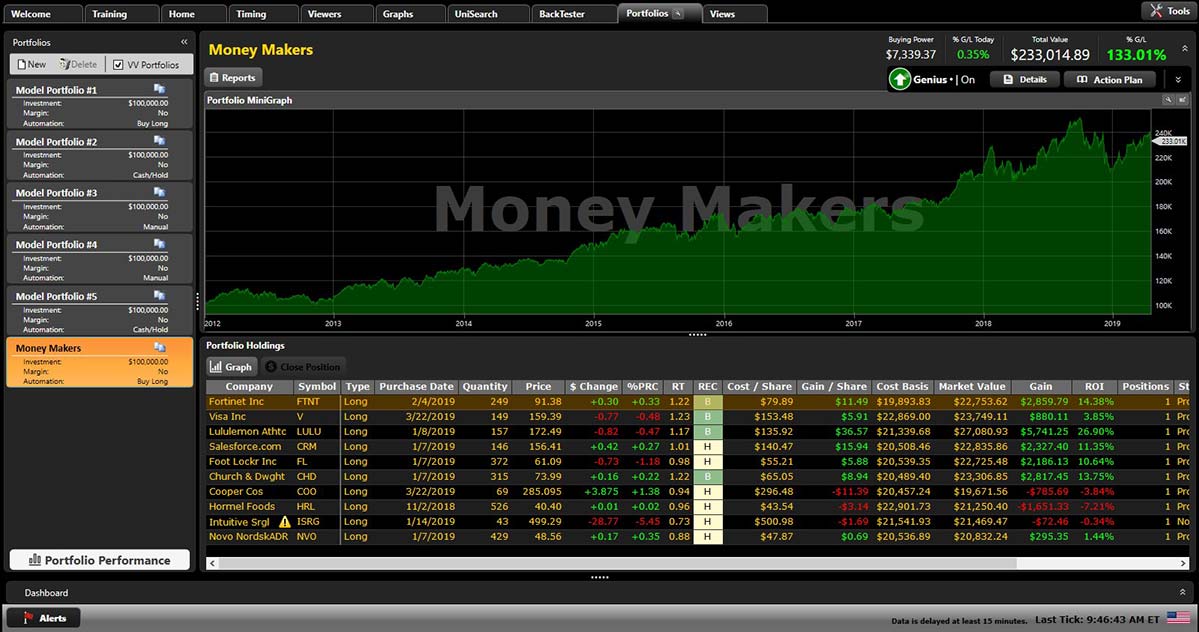
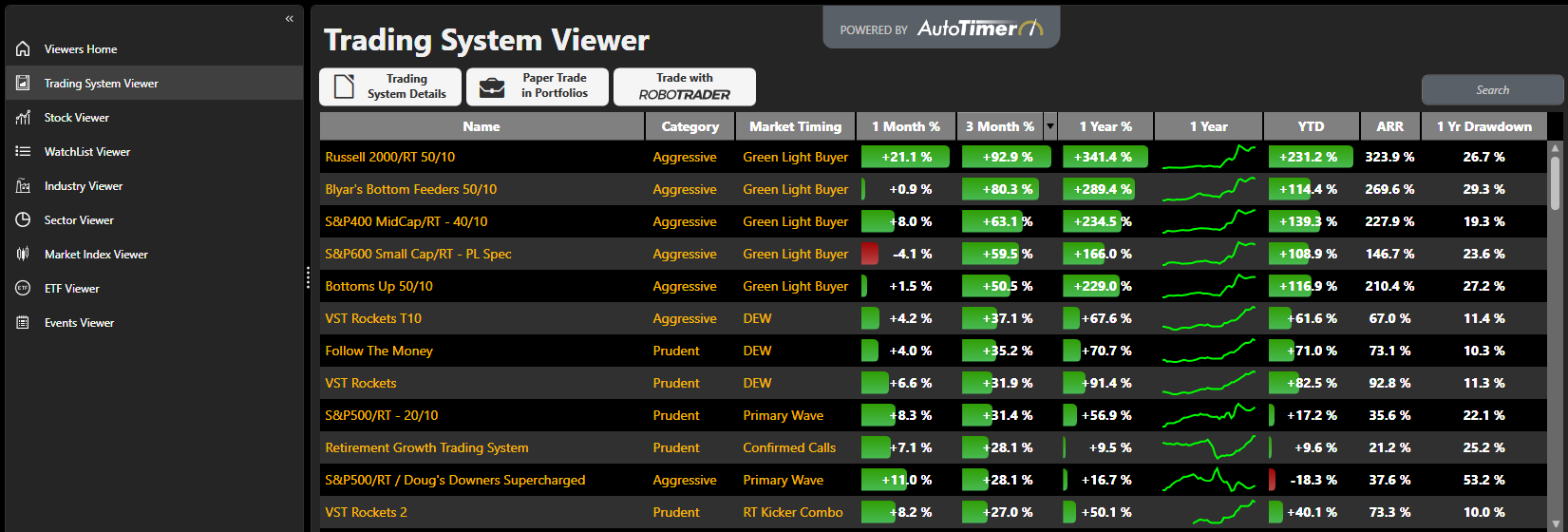
Discover investing strategies that set out to meet any goal, span all industries, and match every level of risk. VectorVest makes finding an investing strategy easier than ever by selecting from pre-built models that give investors guidance, rather than just data. Set custom parameters and build one of a kind strategies for those that want to go the extra mile.
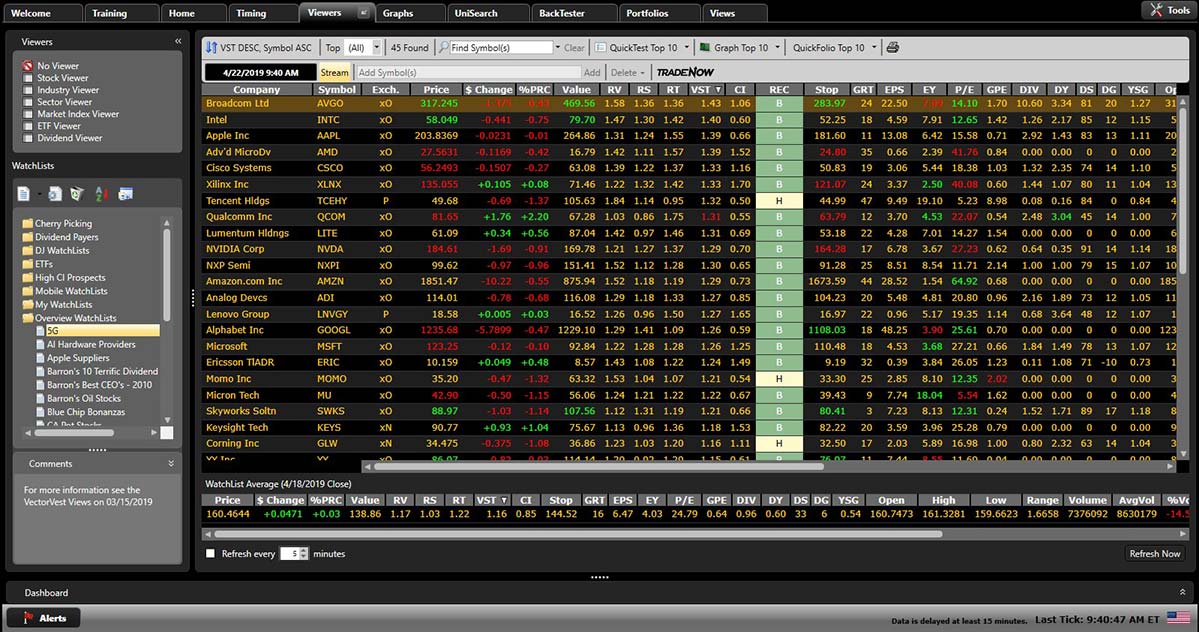
See the best investment, first. VectorVest’s forced rankings always brings the best investments to the top. Every strategy. Every time. Organized and ranked by every strategy’s unique goal and level of risk, there’s no guesswork.
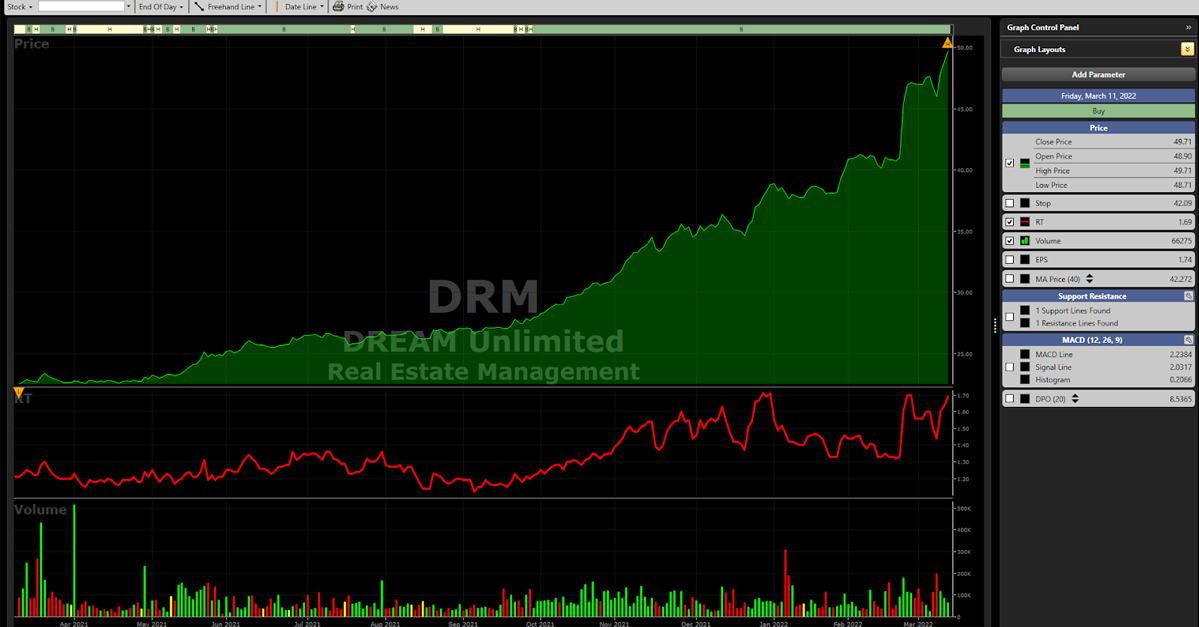
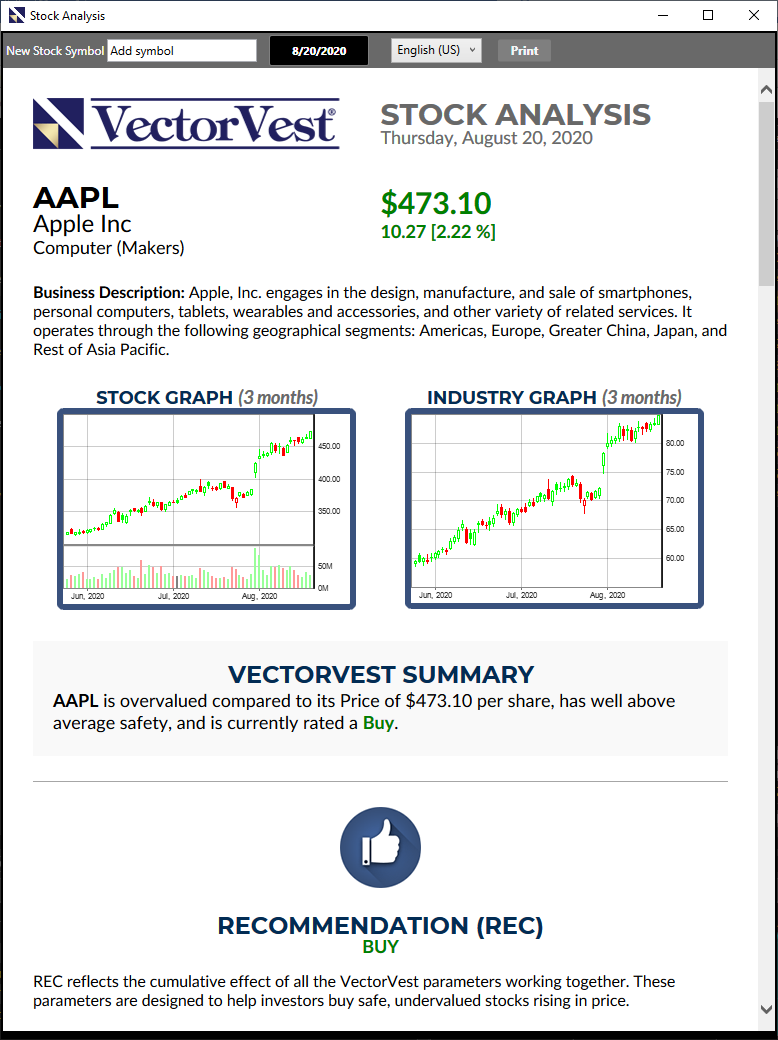
Measure the true Value, Safety, and Timing of over 16,500 stocks and ETFs. VectorVest’s mathematical models sum up a stock’s influencing factors into three simple Value, Safety and Timing indicators to give investors a simpler way to invest. Combine them all and a stock’s “VST” gives investors a full evaluation of every stock in one easy to understand indicator.



Streamline trades with VectorVest’s TradeNow feature. VectorVest has streamlined the process for executing trades within its platform, simplifying and enhancing the trading experience by developing partnerships with highly rated brokers. Guidance and trading, all on one platform.


Never Miss an Opportunity
When it comes to investing, time is of the essence. Keep tabs on market conditions, explore investing opportunities and trade; all from your mobile device.
Includes 5 Different Markets

3,200+ Stocks
122 Industry Groups
39 Business Sectors

9,000+ Stocks
222 Industry Groups
41 Business Sectors

2,000+ Shares
44 Industry Groups
13 Business Sectors

2,000+ Shares
152 Industry Groups
40 Business Sectors

2,000+ Shares
150 Industry Groups
40 Business Sectors
See what users are saying about VectorVest.

See what users are saying about VectorVest.
