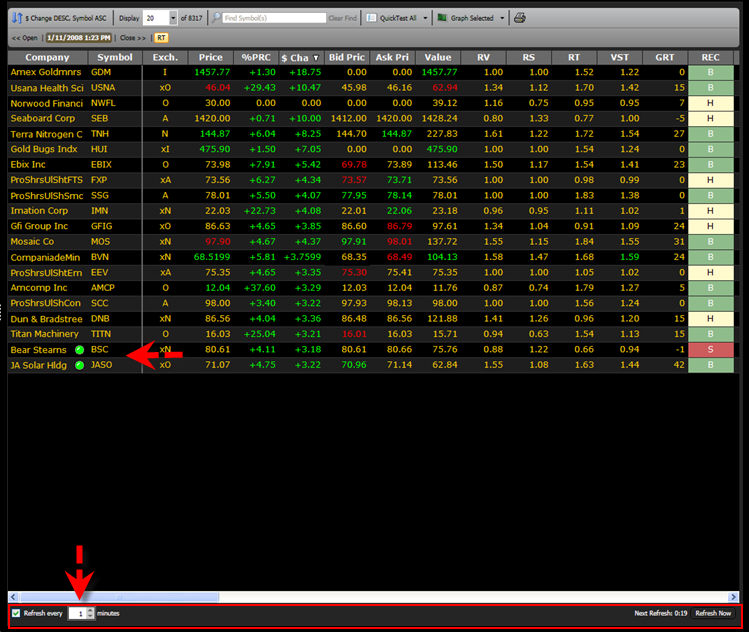
Each Viewer screen can be automatically refreshed as frequently as one minute. This will allow new records to be added to the Viewer Screen. These additions are identified by a green dot to the right of the security name.
The Refresh Selection Bar is located at the bottom of the Viewers Screen. Click the selection box to enable the Refresh Mode, and use the arrows to increase or decrease the number of minutes until the refresh occurs. The minimum refresh rate is 1 minute, and the maximum refresh rate is 10 minutes.
The Viewer may be manually refreshed at any time by clicking "Refresh Now" located in the bottom right corner of the Viewer screen.
Note: The Refresh Selection Bar will not be available when the Viewer is not in RealTime Mode, when the datafeed is disconnected, or when the total number of records in a viewer grid is displayed. See Connection Status to learn more.